Dashboard
Your portfolio, at a glance.
The Dashboard is the first page you see. It’s a read-only overview built from the portfolio you have open: what it’s worth, what moved today, how the market is doing, and the latest news on what you own.
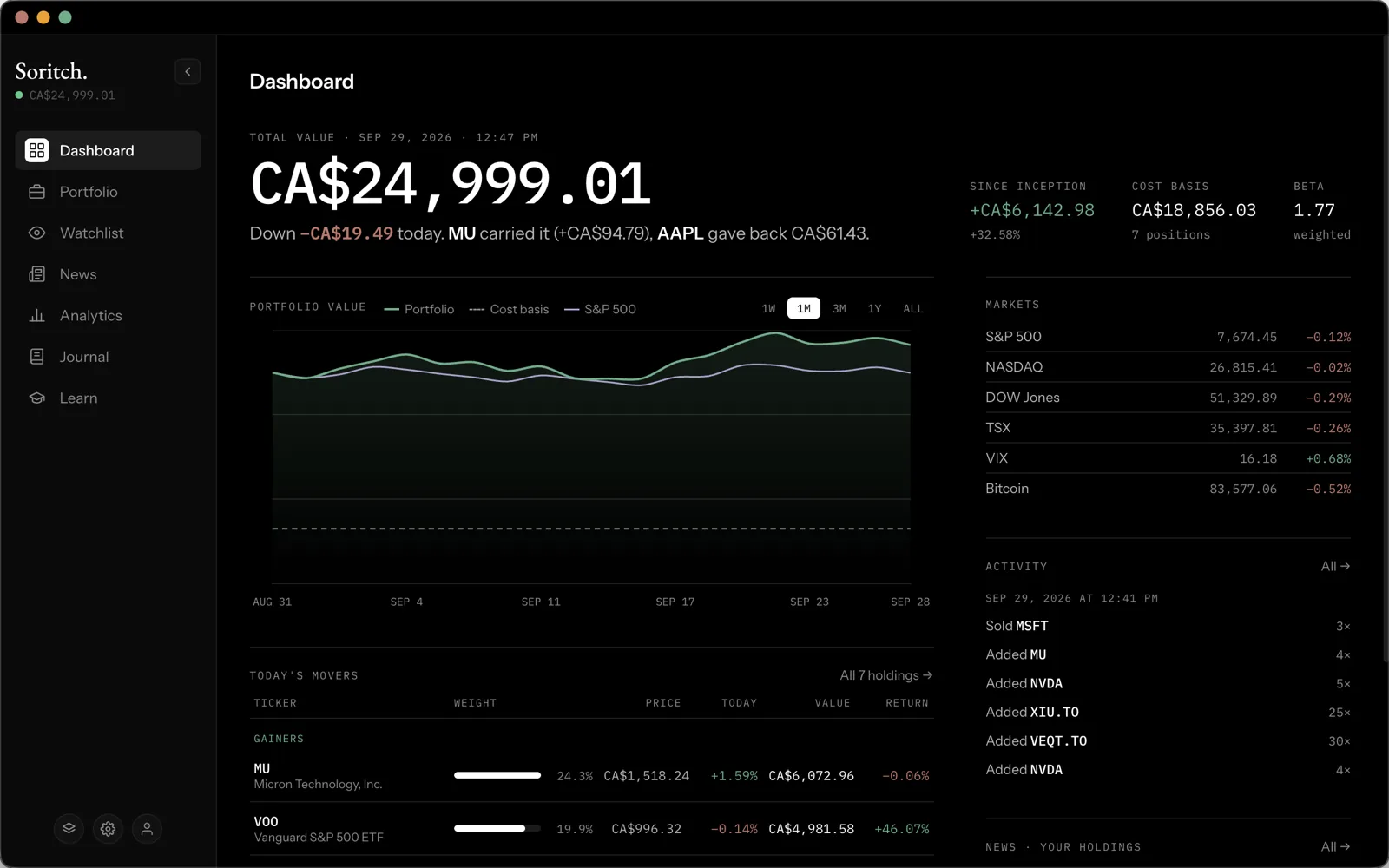
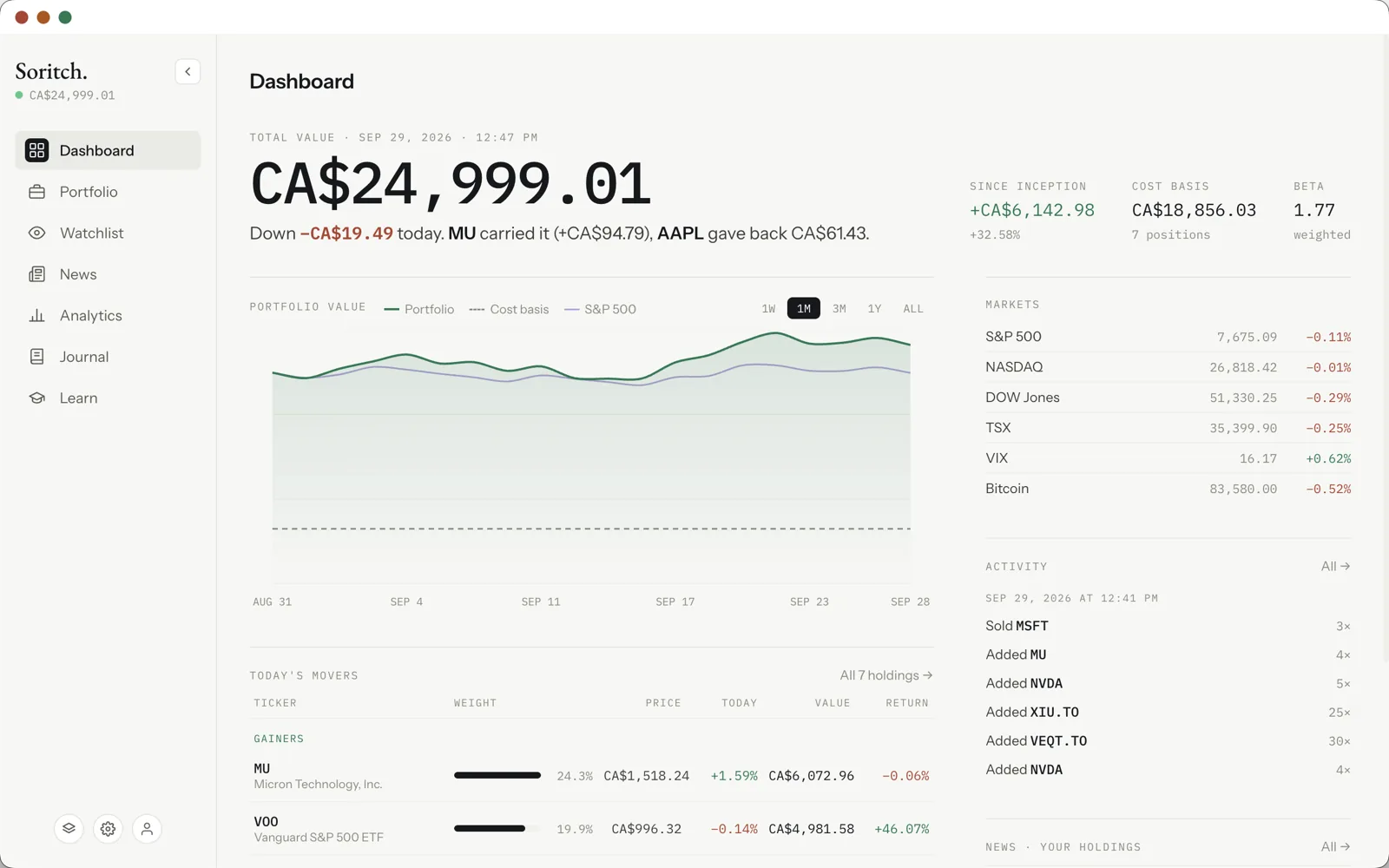
Total value and today’s summary
The large figure is your portfolio’s total value right now, in your display currency, with the date and time it was last updated. Underneath, one sentence sums up the day: how much you’re up or down, which holding helped most and which held you back.
To the right are three numbers:
- Since inception — your total gain or loss in money and percent, compared with what you paid.
- Cost basis — what you paid for everything you hold, and how many positions that covers.
- Beta — how much your portfolio tends to move compared with the market. 1.0 moves with it; above 1 swings harder.
Portfolio value chart
The chart shows your portfolio’s value over time, built from each holding’s price history. Two extra lines help you judge it: a dashed Cost basis line, and your home market’s index (such as the S&P 500 or TSX), scaled to start at the same value as your portfolio so you can see whether you’re ahead of it.
Use 1W, 1M, 3M, 1Y and ALL to change the time range. You can change the home market in Settings.
Today’s movers
Below the chart, your holdings are split into gainers and losers for the day. Each row shows the holding’s weight in your portfolio, its price, today’s change, its value and its total return. All holdings opens the Portfolio page; clicking a row opens that holding’s details.
Markets, activity and news
- Markets — major indices (S&P 500, NASDAQ, Dow Jones, TSX and more), the VIX volatility index and Bitcoin, with today’s change. Your home market is listed first.
- Activity — your most recent adds, sales and removals.
- News · Your holdings — the latest headlines about what you own. These come from the News page’s cache, so open News once (with a NewsAPI key) to fill it.