Portfolio
Every position, one place.
Portfolio is where you track what you own. Add positions by hand or from a broker CSV, see where your money sits and what’s driving your return, and drill into any holding.
Adding a holding by hand
Click New holding, then fill in:
AAPL. For non-US listings, add the exchange suffix Yahoo Finance uses, such as VFV.TO for Toronto.If the ticker can’t be found, you’ll see an error under the form asking you to check it.
Importing from a CSV
Click Import CSV and choose a holdings export from your broker. Soritch reads the symbol, quantity and book value, combines repeat rows for the same ticker into one position, and maps exchanges like the TSX and LSE to the right symbols. Cash rows and short positions are skipped.
If you already have holdings, you’ll be asked whether to add the CSV on top or replace your current positions with it. Replacing only logs the actual share changes to your activity log and Journal.
Summary cards
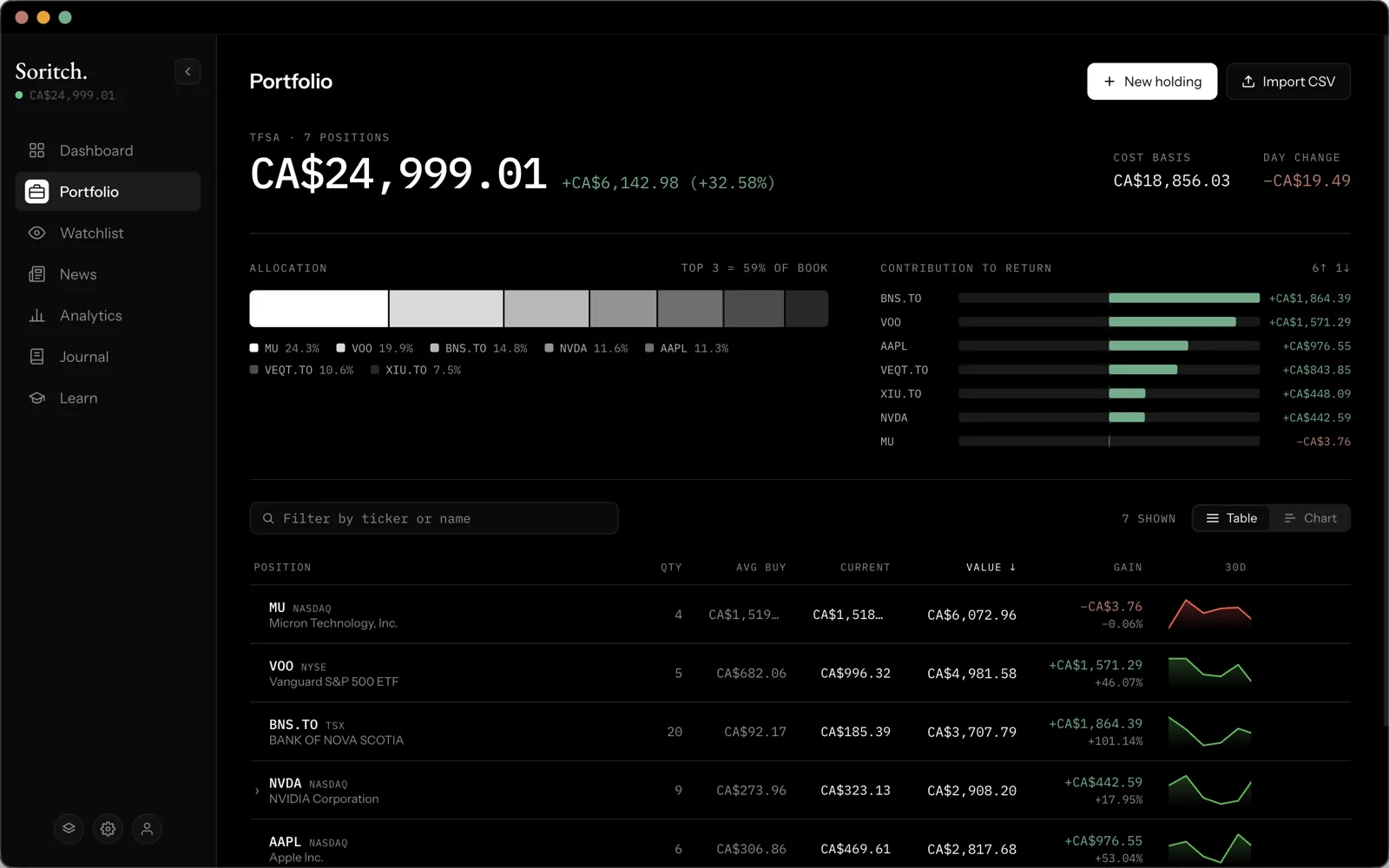
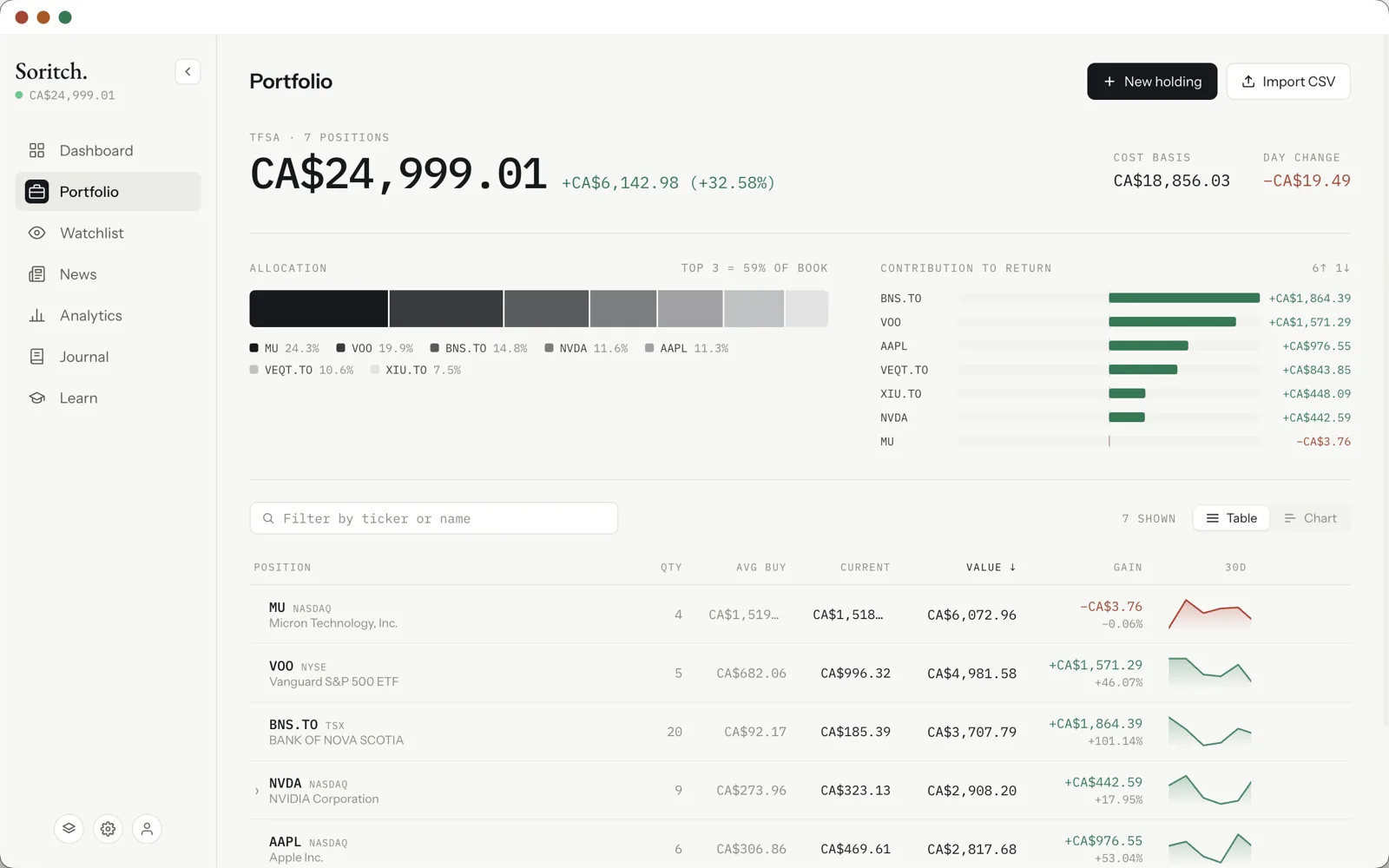
- Allocation — a bar showing how your money is split across holdings, with how much of it sits in your top three.
- Contribution to return — how much each holding has added to (or taken from) your total gain.
The holdings table
Each row shows the position, quantity, average buy price, current price, value and gain. Click a column heading to sort by it; click again to reverse the order. The filter box narrows the list by ticker or company name, and Table / Chart switches to a chart view of the same holdings.
If you bought the same stock more than once, it shows as one row with a weighted average price. Expand it to see each purchase (lot) separately.
Holding details
Click a holding to open its detail panel: a live price, your gain, a price chart since you bought it (line or candlestick), and stats such as the 52-week range, volume and market cap. From there you can jump to the stock on the Watchlist, News or Analytics pages.
Selling and removing
- Sell — enter the sale price (in the stock’s own currency, as your broker shows it) and date. Soritch removes the position, shows the realized gain or loss, and records the sale in your Journal.
- Remove — deletes a position without recording a sale, for example to fix a mistake. You’ll be asked to confirm.
Currencies
Soritch knows which currency each listing trades in. A Toronto-listed ETF is priced in CAD and a NASDAQ stock in USD, and all totals are converted into your display currency using daily exchange rates. Individual prices are converted too, so everything on screen is in one currency.
Several portfolios
Keep separate accounts (for example a TFSA and an RRSP) as separate portfolios. Use the Switch portfolio button at the bottom of the sidebar to change or create one, and rename the current one in Settings. Each portfolio has its own holdings, activity log and journal; watchlists and settings are shared.