Watchlist
Track it before you own it.
Watchlists are for stocks you’re keeping an eye on, separate from what you own. Make as many lists as you like and add a stock to your portfolio when you’re ready.
Lists
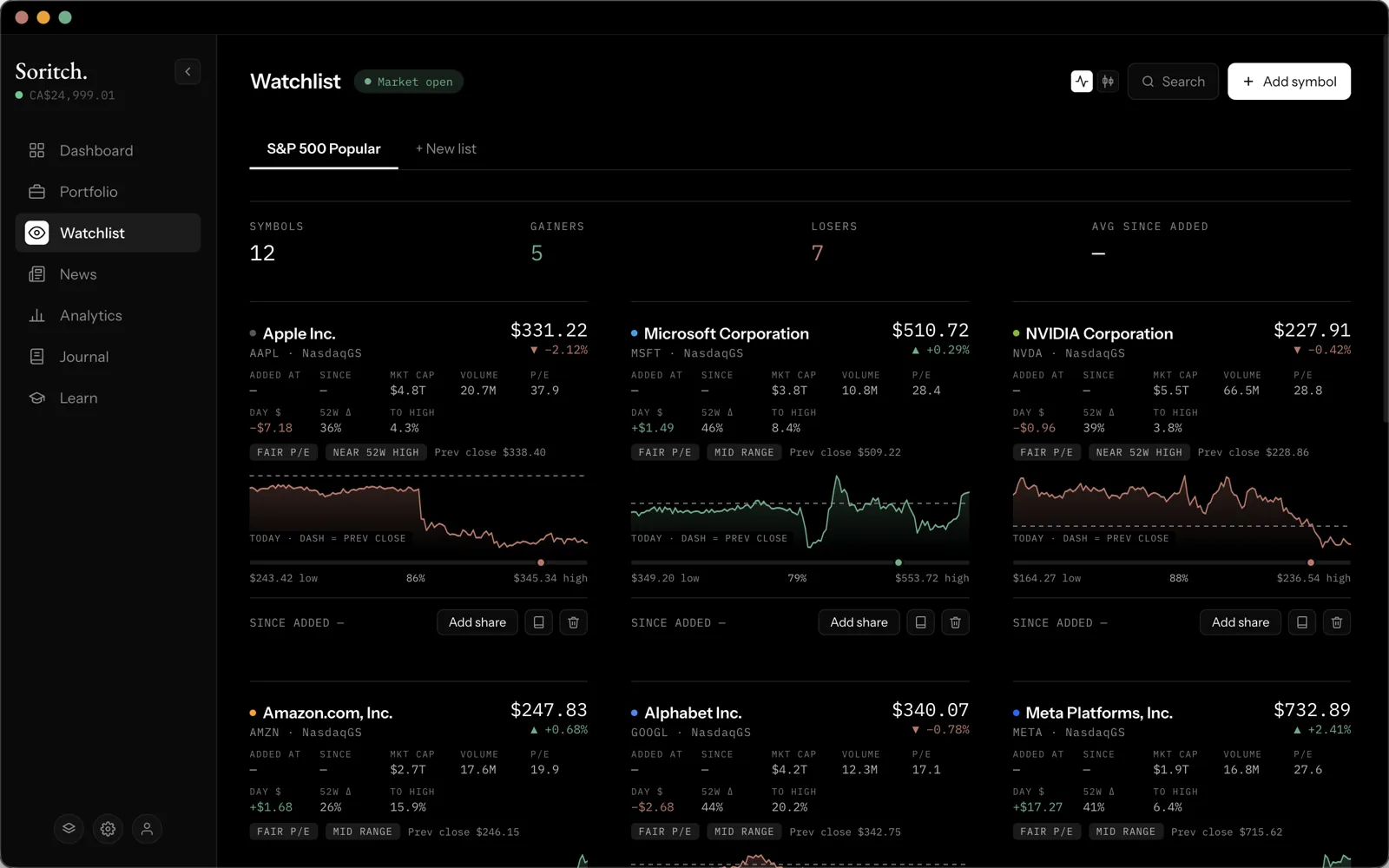
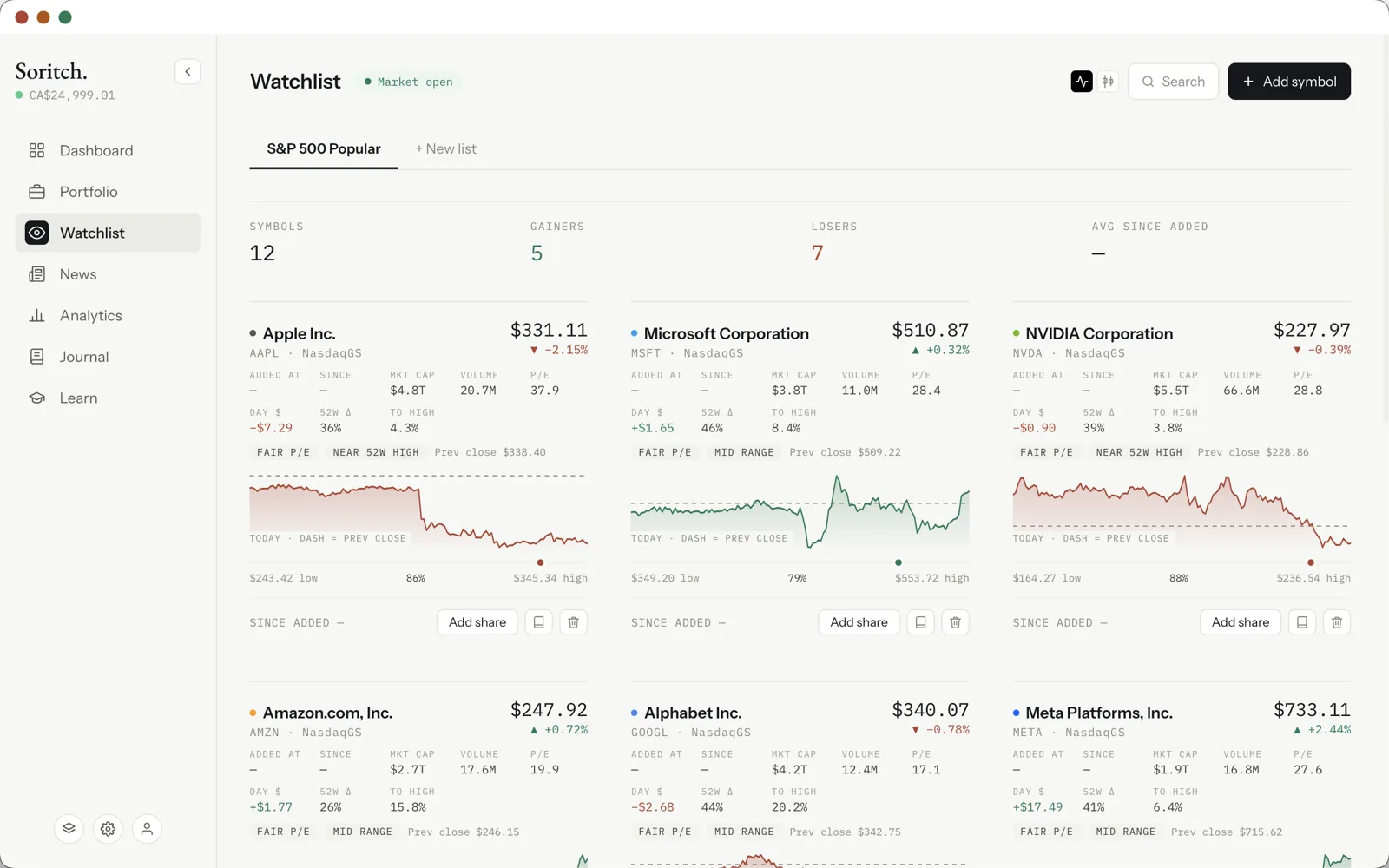
Soritch starts you with an S&P 500 Popular list of well-known stocks so there’s something to look at. Tabs along the top switch between lists, and + New list creates another.
Adding a symbol
Click Add symbol, type a ticker or company name and pick a result. The price at that moment is saved, which is what the “since added” return on its card measures from.
Reading a card
Each stock gets a card with its name, ticker, exchange, live price and today’s change, a chart, and key numbers such as market cap, volume, P/E and the 52-week range. The button next to the page title switches every chart between a line and candlesticks.
- Add share — adds the stock to your portfolio. Being on a watchlist never makes something a holding by itself.
- Remove — takes it off the current list.
Search without saving
The Search button is for quick look-ups. Pick a stock to see its chart and stats; nothing is saved unless you choose to add it to a watchlist.
The summary bar
Across the top of each list: how many symbols it has, how many are up and down today, and the average return since you added them. A badge next to the title shows whether the market is open. Prices refresh automatically while the page is open.